
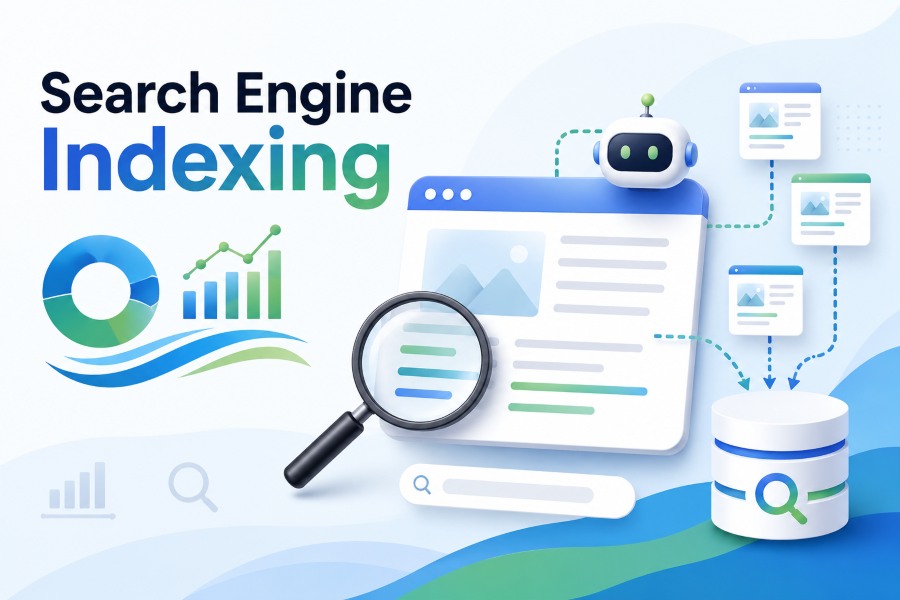
What is indexing in search engine is a common question for anyone trying to understand how websites appear in search results. Indexing is the process search engines use to store, organize, and prepare web pages so they can be shown when people search for related information. A page may exist online, but if it is not indexed, it usually cannot appear in normal search results. That is why indexing matters for bloggers, business owners, SEO beginners, developers, and anyone publishing content on the web. In this guide, you will learn what indexing means, how it works, why it matters, what can stop a page from being indexed, and how to improve your chances of getting important pages discovered and stored properly by search engines.
Search Engine Indexing Meaning
Search engine indexing is easier to grasp when you separate it from crawling and ranking. These three ideas are connected, but they are not the same.
1. Indexing Stores Web Page Information
Indexing means a search engine has processed a page and added information about it to its database. This database is not a simple list of websites. It contains signals about content, topics, freshness, media, links, structure, and possible search queries the page may answer.
2. Crawling Comes Before Indexing
Crawling is the discovery stage, where search engine bots visit pages by following links, reading sitemaps, or finding submitted URLs. A crawler can visit a page without indexing it. Indexing happens only when the search engine decides the page is useful enough to store.
3. Ranking Comes After Indexing
Ranking is the process of deciding where an indexed page should appear for a search query. A page must usually be indexed before it can rank. However, being indexed does not guarantee high visibility, traffic, or first-page positions.
4. The Index Is Like A Search Library
A helpful way to think about indexing is to imagine a huge library. Crawling finds books, indexing catalogs them, and ranking decides which books are most useful for a reader’s question. Without cataloging, even a good page may remain invisible.
5. Not Every Page Gets Indexed
Search engines do not index every page they crawl. Thin content, duplicate pages, blocked pages, low-value archives, technical errors, and spam signals can prevent indexing. Search engines try to keep their indexes useful, clean, and efficient for searchers.
6. Indexing Is An Ongoing Process
Indexing is not a one-time event. Search engines revisit pages, notice updates, remove outdated URLs, and adjust stored information over time. This is why changing a page title, improving content, or fixing technical issues may affect indexing later.
Why Indexing Matters For SEO
Indexing is one of the foundations of SEO because it controls whether your pages are eligible to appear in organic search results.
1. Indexed Pages Can Earn Search Traffic
If an important page is not indexed, it cannot bring normal organic traffic from search results. You may have excellent content, strong design, and a useful offer, but search users will not find that page unless the search engine includes it in its index.
2. Indexing Helps Search Engines Classify Content
During indexing, search engines analyze text, headings, context, internal signals, and page structure. This helps them understand whether a page is about a product, tutorial, local service, comparison, definition, or informational topic, which affects the queries it may match.
3. Indexing Supports Long-Term Visibility
Paid ads stop when budgets stop, but indexed pages can continue attracting visitors over time. A well-indexed article, product page, or service page may keep bringing relevant traffic if it remains useful, accurate, crawlable, and competitive in search results.
4. Indexing Reveals Technical SEO Health
Indexing problems often point to deeper technical issues. If many valuable pages are missing from search results, the cause may be poor internal linking, accidental noindex tags, blocked resources, slow servers, duplicate content, or weak site architecture.
5. Indexing Improves Content Planning
When you monitor which pages are indexed, you learn what search engines consider valuable on your site. This helps you refine content strategy, merge weak pages, update outdated articles, strengthen internal links, and focus effort on pages with real search potential.
6. Indexing Protects Important Business Pages
For businesses, indexing affects lead generation, product discovery, local visibility, and brand trust. If core service pages, location pages, category pages, or helpful resources are not indexed, potential customers may find competitors instead, even when your content is more relevant.
How Search Engine Indexing Works
The indexing process has several stages. Each stage helps the search engine decide what a page is, whether it should be stored, and how it might be retrieved later.
- Discovery: Search engines find a URL through links, XML sitemaps, redirects, or direct submission tools.
- Crawling: A bot visits the page and requests its content from the server.
- Rendering: The search engine may process scripts, layout, and visible content to see the page more like a user would.
- Content Analysis: Text, headings, images, structured signals, links, and page quality are evaluated.
- Canonical Selection: The search engine chooses the preferred version when similar or duplicate URLs exist.
- Index Storage: Useful information about the selected page is stored in the search index.
- Refresh: The page is revisited over time so updates, removals, and quality changes can be reflected.
Key Search Engine Indexing Factors
Several technical and content signals influence whether a search engine can index a page correctly. These factors do not work alone, but together they shape indexability.
- Crawl Access: Search engines need permission to crawl the page and its important resources.
- Index Permissions: A page should not contain noindex instructions if you want it included in search results.
- Content Quality: Useful, original, complete content is more likely to be indexed than thin or copied material.
- Internal Links: Pages linked from important areas of a site are easier for crawlers to discover and evaluate.
- Canonical Signals: Clear canonical tags help search engines choose the right version of similar pages.
- Server Reliability: Fast, stable pages are easier for bots to crawl, render, and process consistently.
Common Search Engine Indexing Mistakes To Avoid
Many indexing problems come from avoidable decisions. Fixing these mistakes can improve how search engines discover and store your content.
1. Blocking Important Pages Accidentally
Website owners sometimes block important pages through robots instructions, security settings, or platform defaults. This can stop crawlers before they even evaluate the content. Always review crawl rules after redesigns, migrations, plugin changes, or staging site updates.
2. Using Noindex On Valuable Content
A noindex tag tells search engines not to include a page in the index. It is useful for private, duplicate, or low-value pages, but harmful when placed on service pages, blog posts, product pages, or landing pages meant to attract search traffic.
3. Publishing Thin Pages
Thin pages offer little original value, such as a few generic sentences or copied manufacturer text. Search engines may crawl them but choose not to index them. Add helpful details, examples, comparisons, answers, and unique insights to make pages worth storing.
4. Creating Duplicate URL Versions
Duplicate pages can confuse search engines about which version belongs in the index. This often happens with filters, tracking parameters, printer pages, and inconsistent URL formats. Use canonical signals, clean internal links, and consistent site structure to reduce duplication.
5. Hiding Content Behind Scripts
Modern search engines can render many script-based pages, but heavy or broken scripts can still create indexing issues. If important text, links, or product details only appear after complicated interactions, crawlers may miss or delay processing that content.
6. Forgetting Internal Links
Orphan pages are pages with no meaningful internal links pointing to them. Even if they are in a sitemap, they may seem less important. Link useful pages from menus, categories, related posts, hub pages, and relevant body content.
Best Practices For Search Engine Indexing
Good indexing is not only about fixing errors. It also requires a site structure and publishing process that make valuable pages easy to discover and evaluate.
1. Create Useful Original Content
Search engines want to index pages that help users. Write content that answers real questions, explains details clearly, and adds something beyond common summaries. Original examples, expert perspective, current information, and practical guidance all make indexing more worthwhile.
2. Keep Important Pages Crawlable
Make sure your important pages are accessible to search engine bots. Avoid blocking them in crawl rules, requiring unnecessary logins, or relying on broken redirects. If a human can access a page but crawlers cannot, indexing will remain unreliable.
3. Use Clear Page Structure
Headings, paragraphs, descriptive titles, and organized sections help search engines interpret a page. A clear structure also improves user experience. When content is easy to scan and logically arranged, both readers and search systems can understand the main topic faster.
4. Submit Accurate Sitemaps
An XML sitemap helps search engines find important URLs, especially on large or new websites. Keep it clean by including only indexable, canonical, valuable pages. A sitemap filled with broken, redirected, or noindex URLs can send confusing signals.
5. Strengthen Internal Linking
Internal links help crawlers move through your site and understand relationships between pages. Link from strong pages to important related pages using natural context. This can improve discovery, reinforce topical relevance, and help search engines prioritize valuable content.
6. Review Indexing Reports Regularly
Indexing status can change after updates, migrations, content pruning, or technical releases. Regular reviews help you catch problems early. Look for unexpected exclusions, drops in indexed pages, duplicate issues, server errors, and pages discovered but not indexed.
Examples Of Search Engine Indexing
Examples make indexing easier to understand because the same process can affect different page types in different ways.
1. A New Blog Post
After publishing a new blog post, search engines may discover it through your sitemap or internal links. If the article is crawlable, original, and useful, it can be indexed and later shown for relevant informational searches related to its topic.
2. An Ecommerce Product Page
A product page may be indexed if it has unique descriptions, clear product details, images with useful context, and links from category pages. If it only repeats copied supplier text, search engines may treat it as low value or duplicate.
3. A Local Service Page
A local service page can be indexed for location-based searches when it clearly explains the service area, customer needs, business details, and unique value. Thin location pages with only swapped city names may struggle because they look repetitive.
4. A Category Page
Category pages help search engines understand groups of products, articles, or services. They are often important for SEO because they target broader topics. Strong category pages include useful descriptions, crawlable item links, and clean filtering rules.
5. A Duplicate Printer Page
A printer-friendly version of a page may be crawled, but search engines usually should not index it separately. Canonical tags or noindex rules can prevent duplicate results and help the main version receive the strongest indexing and ranking signals.
6. An Updated Old Article
When an old article is improved with fresh examples, clearer explanations, and updated information, search engines may recrawl and refresh the indexed version. This can help the page stay relevant, especially if the topic changes or competitors publish better resources.
Practical Search Engine Indexing Use Cases
Indexing knowledge is useful in everyday SEO work. These use cases show when you may need to check, improve, or control indexing.
1. Launching A New Website
When a new website goes live, indexing checks confirm that search engines can access the right pages. This is especially important if the site was previously blocked during development. One forgotten setting can keep the entire site out of search.
2. Recovering From A Site Migration
After moving domains, changing URLs, or redesigning a site, indexing can shift quickly. You need redirects, updated sitemaps, clean canonicals, and working internal links. Monitoring index status helps catch lost pages before traffic drops become severe.
3. Managing Large Ecommerce Sites
Large ecommerce sites often create many filter, sort, and parameter URLs. Without indexing control, search engines may waste time on low-value variations. Smart rules help focus the index on categories, products, and content that can actually attract customers.
4. Removing Outdated Content
Sometimes you do not want a page indexed anymore because it is outdated, inaccurate, or no longer useful. Removing, redirecting, consolidating, or applying noindex can help search engines stop showing content that no longer represents your site well.
5. Improving Blog Performance
Blog owners can use indexing data to find weak posts, orphan articles, duplicate tags, and outdated content. This helps them decide whether to update, merge, delete, or internally link articles so the strongest resources receive better search visibility.
6. Checking Important Landing Pages
Landing pages used for organic search should be indexable unless they are only for paid campaigns or private audiences. Checking indexing before promotion prevents wasted effort and ensures your most important pages are eligible to appear for relevant searches.
Advanced Search Engine Indexing Tips
Once the basics are in place, advanced indexing work focuses on helping search engines spend attention on the right pages.
1. Prioritize High-Value URLs
Not every page deserves equal attention. Focus indexing efforts on pages that answer search demand, support business goals, and provide real value. Low-quality archives, thin tags, and duplicate filters can dilute crawl attention on larger websites.
2. Consolidate Similar Content
If several pages target nearly the same topic, search engines may struggle to choose one. Combining weak pages into a stronger resource can improve clarity. Consolidation also helps users by giving them one complete answer instead of scattered fragments.
3. Improve Crawl Depth
Important pages should not be buried too deeply. If a page requires many clicks from the homepage or main hubs, crawlers may treat it as less important. Better navigation and contextual links can bring valuable pages closer to the surface.
4. Match Canonicals To Intent
Canonical tags should point to the version you truly want indexed. Conflicting canonicals, redirected canonicals, or canonicals pointing to irrelevant pages can create confusion. Review them carefully when using filters, pagination, product variants, or syndicated content.
5. Keep Content Fresh When Needed
Some topics need regular updates because facts, tools, prices, rules, or trends change. Refreshing those pages can encourage recrawling and help the indexed version remain accurate. Freshness matters most when users expect current information.
6. Watch Indexing After Technical Changes
Theme updates, plugin changes, server moves, and JavaScript changes can affect indexability without obvious visual problems. After technical releases, check key pages for crawl access, noindex tags, canonical changes, rendering issues, and unexpected status codes.
Future Trends In Search Engine Indexing
Indexing continues to evolve as search engines process more content formats, richer pages, and AI-assisted search experiences.
1. More Focus On Helpful Content
Search engines are likely to keep filtering low-value pages more aggressively. Indexing may become harder for generic, copied, or shallow content. Sites that provide clear expertise, useful detail, and strong user satisfaction will have better long-term visibility.
2. Better Processing Of JavaScript
Search engines continue improving how they render modern websites, but simple, accessible content remains safer. Important information should load reliably and quickly. Developers and SEO teams will need to work together so design choices do not block indexing.
3. Stronger Duplicate Detection
As the web grows, search engines must avoid indexing endless copies of the same ideas. Better duplicate detection means websites need clearer original value, cleaner canonical signals, and stronger content differentiation across similar pages and templates.
4. More Selective Indexing
Search engines have limited resources, so they may become more selective about what they store. Large sites should expect greater pressure to manage crawl budget, remove low-value URLs, and make their best pages easy to find.
5. Richer Content Interpretation
Indexing is moving beyond basic keywords. Search engines analyze entities, context, intent, page experience, structured information, and relationships between topics. This means clear writing, organized content, and topical depth will matter alongside technical accessibility.
6. Faster Feedback For Publishers
Search platforms may continue improving reporting tools so site owners can diagnose indexing issues faster. Even with better tools, the core work remains the same: publish useful content, keep it accessible, and maintain a clean technical foundation.
Frequently Asked Questions
1. What Is Indexing In Search Engine In Simple Words?
Indexing in a search engine means storing and organizing information about a web page so it can appear in search results. If a page is crawled but not indexed, the search engine may know it exists, but it usually will not show it to searchers.
2. Is Crawling The Same As Indexing?
No, crawling and indexing are different. Crawling is when a search engine bot visits a page to discover and read it. Indexing is when the search engine processes that page and stores useful information about it in its database for future search results.
3. How Long Does Search Engine Indexing Take?
Indexing can happen quickly, but it may also take days or longer depending on the site, page quality, crawl access, internal links, and search engine priorities. New websites, weak pages, or pages with technical problems often take longer to be indexed.
4. Why Is My Page Not Indexed?
A page may not be indexed because it is blocked, marked noindex, duplicated, too thin, hard to crawl, slow to load, or not linked from important pages. Search engines may also discover a page but decide it does not add enough value.
5. Can A Page Rank Without Being Indexed?
In normal organic search, a page generally needs to be indexed before it can rank. Indexing makes the page eligible for search results, while ranking decides its position. If the page is excluded from the index, ranking opportunities are extremely limited.
6. How Can I Improve Indexing For My Website?
You can improve indexing by publishing original content, allowing crawl access, removing accidental noindex tags, submitting clean sitemaps, improving internal links, fixing server errors, using correct canonicals, and regularly checking indexing reports for unexpected exclusions or technical problems.
Conclusion
Search engine indexing is the process that turns discovered web pages into searchable resources. It sits between crawling and ranking, and it determines whether your content is eligible to appear for relevant searches. Strong indexing depends on useful content, clear structure, crawl access, internal links, and clean technical signals.
If you want better SEO results, do not focus only on rankings. First make sure your important pages can be found, processed, and stored correctly. When indexing is healthy, your content has a stronger foundation for visibility, traffic, and long-term search performance.