
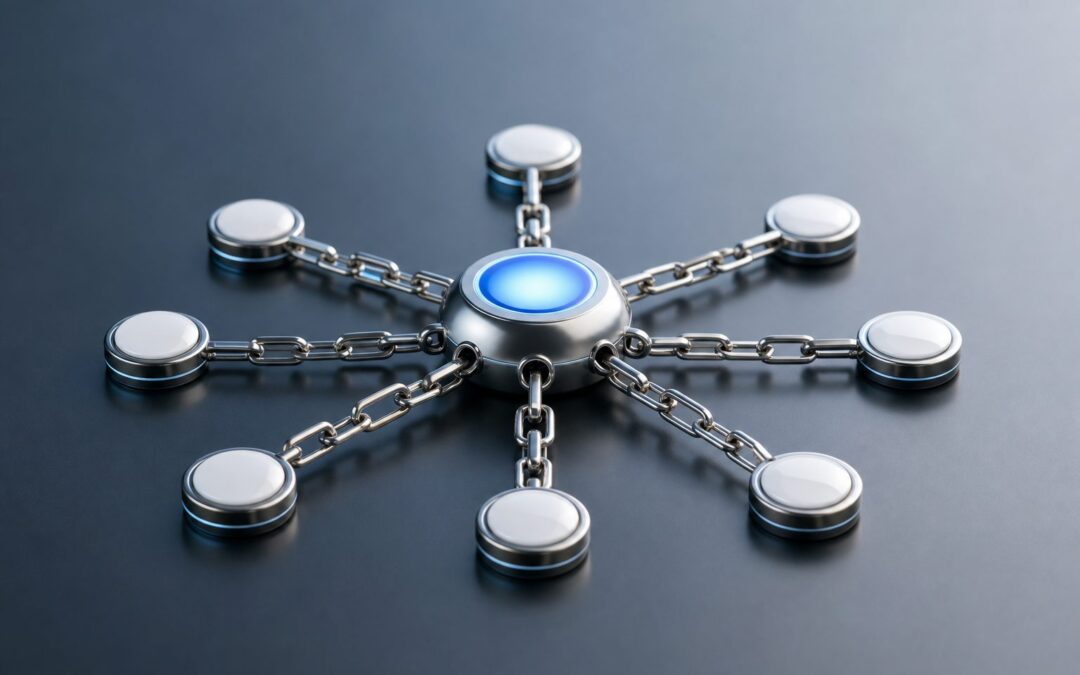
Why are internal links important for SEO? They help search engines discover your pages, understand how your content is connected, and decide which pages deserve more attention. They also guide visitors toward useful information, which can improve engagement, reduce confusion, and support conversions. A strong internal linking strategy is not about adding random links everywhere. It is about creating a clear path through your website so both users and search engines can move from one relevant page to another with purpose. When done well, internal links strengthen topical authority, distribute page value, support crawlability, and make your content easier to navigate. In this guide, you will learn what internal links mean, why they matter, how they affect SEO, how to use them in practice, which mistakes to avoid, and how to build a more effective internal linking system.
What Internal Links Mean For SEO
Internal links are links that point from one page on your website to another page on the same website. They connect your content, create structure, and help search engines interpret page relationships.
1. They Connect Related Content
Internal links show that two pages are connected by topic, intent, or user journey. For example, a guide about technical SEO may naturally point to pages about crawl errors, indexing, and site speed. This helps readers continue learning without needing to search again.
2. They Help Search Engines Discover Pages
Search engines use links to find content. If a page has no internal links pointing to it, it may be harder for crawlers to discover or prioritize. Internal links create pathways that make important pages easier to reach and understand.
3. They Clarify Site Structure
A website with clear internal links is easier to interpret. Main category pages, supporting blog posts, service pages, and product pages should all connect in a logical way. This structure helps search engines see which pages are broad, specific, or highly important.
4. They Support User Navigation
Good internal links help visitors move through your site without friction. When someone finishes reading one page, a relevant link can guide them to the next useful answer. This creates a smoother experience and keeps users engaged longer.
5. They Pass Page Value
Internal links can help distribute authority from stronger pages to related pages that need more visibility. While they are not magic ranking buttons, they can help important content receive more SEO support when placed naturally and strategically.
6. They Give Context Through Link Text
The words used in a link help search engines and readers understand what the linked page is about. Clear, descriptive wording is more useful than vague phrases because it gives context before the user clicks and supports better topical relevance.
Why Internal Links Improve SEO Performance
Internal links influence several SEO signals at once. They affect discovery, context, authority flow, user behavior, and the overall quality of the website experience.
1. Better Crawl Efficiency
Search engines have limited time and resources when crawling a site. Internal links help them move efficiently from important pages to supporting pages. A clean linking structure reduces the risk that valuable content stays buried or overlooked.
2. Stronger Topic Clusters
Topic clusters work best when related pages connect clearly. A central page can cover a broad subject, while supporting pages explain narrower details. Internal links tie these pieces together and help search engines recognize depth around a topic.
3. Higher Page Relevance
When several related pages link to one another, they reinforce relevance. Search engines can better understand that your website covers a subject from multiple angles. This can support rankings for both primary keywords and related long-tail searches.
4. Improved User Engagement
Visitors who find helpful next steps are more likely to stay, read more, and explore deeper pages. Internal links can reduce dead ends and encourage meaningful sessions, especially when the linked content answers the next natural question.
5. Better Conversion Paths
Internal links can guide readers from informational content toward comparison pages, product pages, service pages, or contact pages. This matters because many visitors start with research before they are ready to take action or make a decision.
6. More Support For Important Pages
Some pages deserve more visibility than others. Internal links help signal which pages matter most by making them easier to find and more frequently referenced from relevant content. This is especially useful for core services, evergreen guides, and revenue pages.
How Internal Links Help Search Engines Crawl
Crawling is the process search engines use to discover and revisit pages. Internal links make that process more organized, especially on larger websites with many posts, categories, or product pages.
1. They Create Clear Crawl Paths
A crawler enters a website through one page, then follows links to other pages. If your internal links are logical, crawlers can move through your most useful content more easily. This improves the chance that important pages are found and revisited.
2. They Reduce Orphan Pages
An orphan page has no internal links pointing to it. Even if it exists on your site, it may be difficult for users and search engines to reach. Linking to these pages from relevant content helps bring them back into the site structure.
3. They Help Prioritize Fresh Content
When you publish a new article or page, linking to it from existing relevant pages can help it get discovered faster. This is especially useful when updating topic clusters, seasonal guides, or new service pages that need early visibility.
4. They Improve Deep Page Access
Pages buried too many clicks away from the homepage can be harder to reach. Internal links from relevant high-level pages can shorten the journey, making deeper resources easier for both users and crawlers to access.
5. They Support Indexing Signals
Internal links do not guarantee indexing, but they help show that a page belongs in your website ecosystem. A page with useful internal links and relevant supporting content sends stronger quality and relationship signals than an isolated page.
6. They Make Site Audits Easier
A clean internal linking structure makes it easier to review crawl paths, identify weak pages, and fix navigation gaps. When your links follow a clear pattern, SEO audits become more actionable and less dependent on guesswork.
Key Internal Linking SEO Benefits
Internal links offer practical benefits for websites of all sizes. They are especially valuable because they improve both search engine access and the human reading experience.
- Improved Discoverability: Internal links help search engines and visitors find pages that may not be visible through the main navigation.
- Stronger Relevance: Linking related pages helps build topical connections and supports keyword context without forcing unnatural repetition.
- Better Navigation: Helpful links guide readers to deeper resources, related answers, and next-step pages.
- Authority Distribution: Strong pages can pass support to related pages that need more visibility.
- Higher Engagement: Visitors are more likely to continue reading when the next useful resource is easy to find.
- Clearer Site Architecture: Internal links help define which pages are central, supporting, commercial, or informational.
Build An Internal Linking Strategy
A good internal linking strategy should be intentional. Instead of adding links only when you remember, use a repeatable process that supports content structure, rankings, and user journeys.
- Audit Existing Pages: Review your current content and identify pages with strong traffic, weak visibility, missing links, or outdated references.
- Choose Priority Pages: Decide which pages matter most for SEO, conversions, or user education.
- Group Related Content: Organize pages into topic clusters so each link has a clear reason to exist.
- Find Natural Link Opportunities: Look for sentences where a reader would benefit from a deeper explanation on another page.
- Use Descriptive Wording: Make the link text clear, relevant, and natural within the sentence.
- Balance Link Placement: Add links where they help the reader, not just in footers, sidebars, or repeated blocks.
- Review Regularly: Revisit internal links when publishing new content, updating old posts, or changing important pages.
Examples Of Internal Links In SEO
Examples make internal linking easier to apply. The best links usually answer the reader’s next question or help them move from broad learning to a more specific action.
1. Blog Post To Guide
A short blog post about keyword research can point readers to a complete keyword strategy guide. This works because the reader may want more depth after learning the basics. It also helps the guide receive contextual support from a related page.
2. Guide To Service Page
An educational guide about improving website traffic can naturally refer to an SEO service page when the reader may need professional help. The link should fit the context and feel useful, not forced or overly promotional.
3. Category Page To Supporting Post
A broad category page about content marketing can point to supporting posts about blog planning, content calendars, and optimization. This helps users explore specific subtopics and helps search engines understand the category’s depth.
4. Product Page To Comparison Page
A product page can guide uncertain buyers to a comparison page that explains differences between options. This supports decision-making and can reduce hesitation because users get more information without leaving the website.
5. Old Post To New Content
When you publish a new article, older related posts can link to it. This helps the new content get discovered and gives existing articles a fresh purpose. It also keeps your content network active and connected.
6. FAQ Page To Detailed Resource
An FAQ answer may briefly explain a topic and point readers toward a more detailed resource. This helps keep the FAQ concise while still offering depth for people who need a fuller explanation before making a decision.
Common Internal Linking Mistakes To Avoid
Internal linking can help SEO, but poor execution can confuse readers and weaken the structure of your site. These mistakes are common and usually easy to fix.
1. Linking Without Relevance
Adding links just because a page needs attention can make content feel unnatural. Every internal link should have a clear connection to the surrounding text. If the destination page does not help the reader, the link should not be there.
2. Using Vague Link Text
Phrases such as click here or read more do not explain what the linked page covers. Descriptive wording is better because it sets expectations. Clear link text helps readers decide whether to continue and helps search engines interpret the page relationship.
3. Overloading Pages With Links
Too many links can distract readers and reduce the value of each recommendation. A page should guide users, not overwhelm them. Focus on the most useful links that support the topic and the reader’s next step.
4. Ignoring Important Pages
Some websites publish strong pages but fail to link to them from related content. As a result, those pages may not receive enough internal support. Important pages should be connected from relevant articles, categories, and navigation paths.
5. Forgetting To Update Old Content
Older posts often contain opportunities to support newer content. If you never update them, your internal linking structure becomes stale. Reviewing old pages helps you add better links, remove outdated references, and strengthen topic clusters.
6. Creating Broken Internal Links
Broken links frustrate users and waste crawl paths. They often appear after deleting pages, changing slugs, or restructuring content. Regular checks help keep your internal links functional and protect the quality of the user experience.
Best Practices For Internal Links And SEO
Best practices help you turn internal linking from a random task into a reliable SEO habit. The goal is usefulness first, with search benefits following naturally.
1. Link Where The Context Is Strong
The best internal links appear where the destination page clearly expands on the current idea. A contextual link inside the main content is usually more useful than a generic link placed without explanation.
2. Use Natural Anchor Language
Write link text in a way that sounds normal within the sentence. Exact-match keywords are not always necessary. A natural phrase that describes the linked page clearly is usually better than repetitive or forced wording.
3. Support Your Most Valuable Pages
Identify the pages that matter most to your business or content goals. Then make sure related pages point to them in helpful ways. This gives important pages stronger visibility without making the site feel overly sales-focused.
4. Link From High-Performing Pages
Pages with strong traffic or authority can help users discover other useful resources. Review your best-performing content and add relevant links to pages that deserve more attention, especially if they support the same topic or search intent.
5. Keep The User Journey Clear
Internal links should match the reader’s stage. Someone reading a beginner guide may need definitions and examples, while someone on a comparison page may need pricing, features, or proof. Match links to what the reader likely needs next.
6. Audit Links On A Schedule
Internal linking is not a one-time task. Set a routine to check broken links, update outdated references, and connect new content to older pages. This keeps your site structure healthy as your content library grows.
Internal Linking Expert Tips
Once the basics are in place, small improvements can make internal links more effective. These tips help refine your strategy without making the process complicated.
Think in clusters, not isolated pages. Each important topic should have a central page supported by related articles that link back and across where relevant.
Place important links higher when they genuinely help the reader early. Links buried at the bottom may still be useful, but contextual links in the body often carry clearer meaning.
Avoid using the same wording every time you link to a page. Natural variation helps the content read better and gives broader context around the destination page.
Do not rely only on navigation menus. Menus help structure the site, but contextual links inside content explain relationships in a more specific and meaningful way.
Review analytics and search performance together. If a valuable page has impressions but low traffic, better internal support from related pages may help users and crawlers reach it more easily.
Frequently Asked Questions
1. Why Are Internal Links Important For SEO?
Internal links are important for SEO because they help search engines discover pages, understand relationships, and evaluate site structure. They also guide visitors to related content, which can improve engagement and make the website more useful overall.
2. How Many Internal Links Should A Page Have?
There is no perfect number for every page. The right amount depends on page length, topic depth, and user needs. Add links where they are genuinely helpful, relevant, and natural instead of trying to reach a fixed number.
3. Do Internal Links Help Pages Rank Higher?
Internal links can support rankings by improving crawlability, relevance, and authority distribution. They do not guarantee higher rankings on their own, but they make it easier for search engines to find and understand important pages.
4. What Is The Best Anchor Text For Internal Links?
The best anchor text is clear, descriptive, and natural. It should tell readers what to expect from the linked page without feeling forced. Avoid vague wording and avoid repeating the exact same phrase every time.
5. Should Old Blog Posts Include Internal Links?
Yes, old blog posts are often excellent places to add internal links. Updating them helps connect older content with newer resources, improves navigation, and keeps your content structure fresh as your website grows.
6. Can Too Many Internal Links Hurt SEO?
Too many internal links can create a poor reading experience and make each link feel less important. The issue is not just quantity, but usefulness. Links should support the page topic and help readers move logically through the site.
Conclusion
Internal links matter because they connect your content, improve crawlability, support page relevance, and help users find the next useful resource. They make your website easier to navigate and help search engines understand which pages are connected and important.
A strong internal linking strategy is practical, consistent, and reader-focused. When you link relevant pages with clear context, you create a better experience for visitors while giving your SEO foundation more structure and strength.